A NEW APPROACH TO PERSONALIZATION
A NEW APPROACH TO PERSONALIZATION
A NEW APPROACH TO PERSONALIZATION
Enable your team to scale personalized CX
SIX equips your customer-facing employees to make personalized recommendations and drive growth





01
Curate
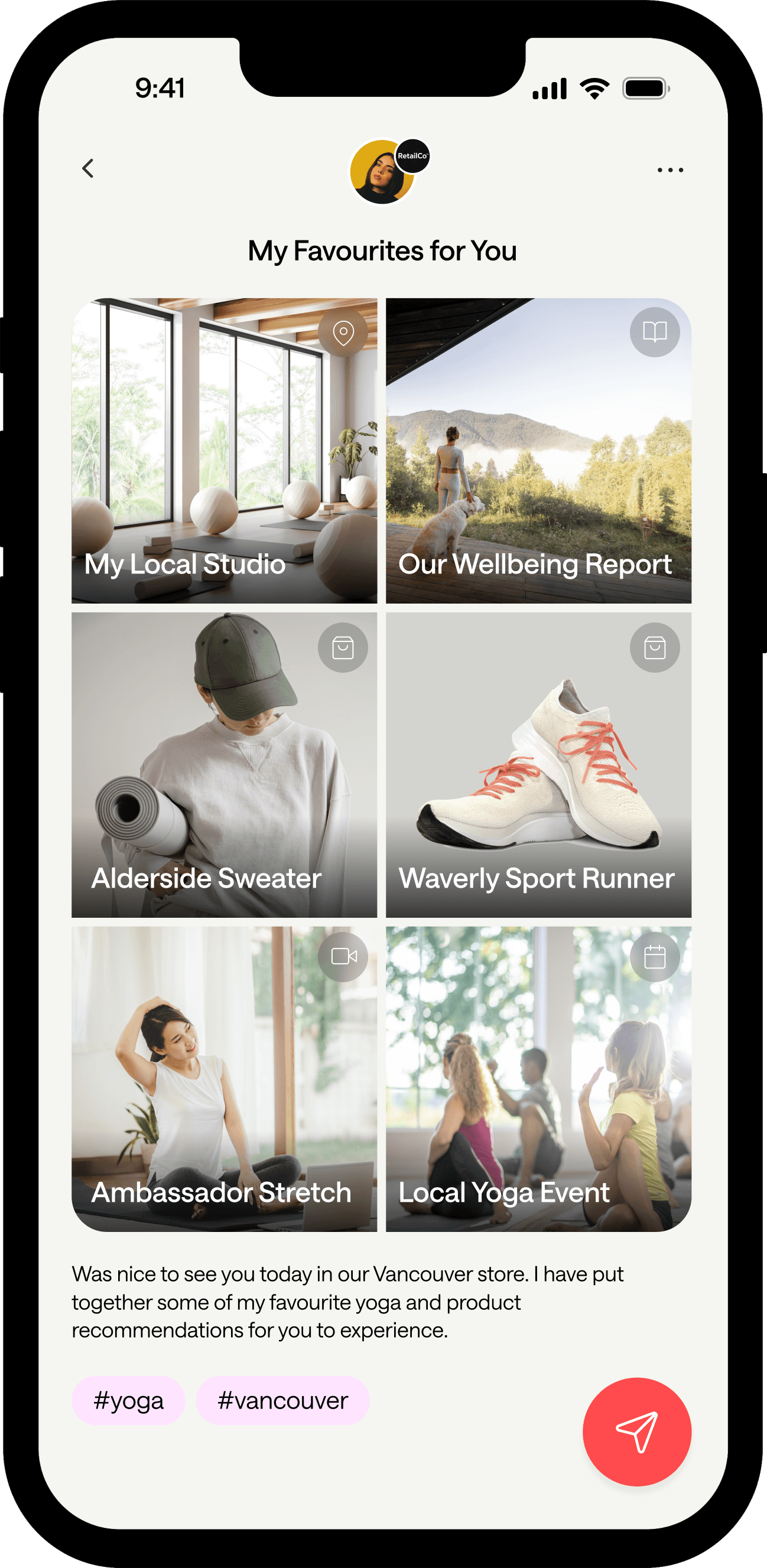
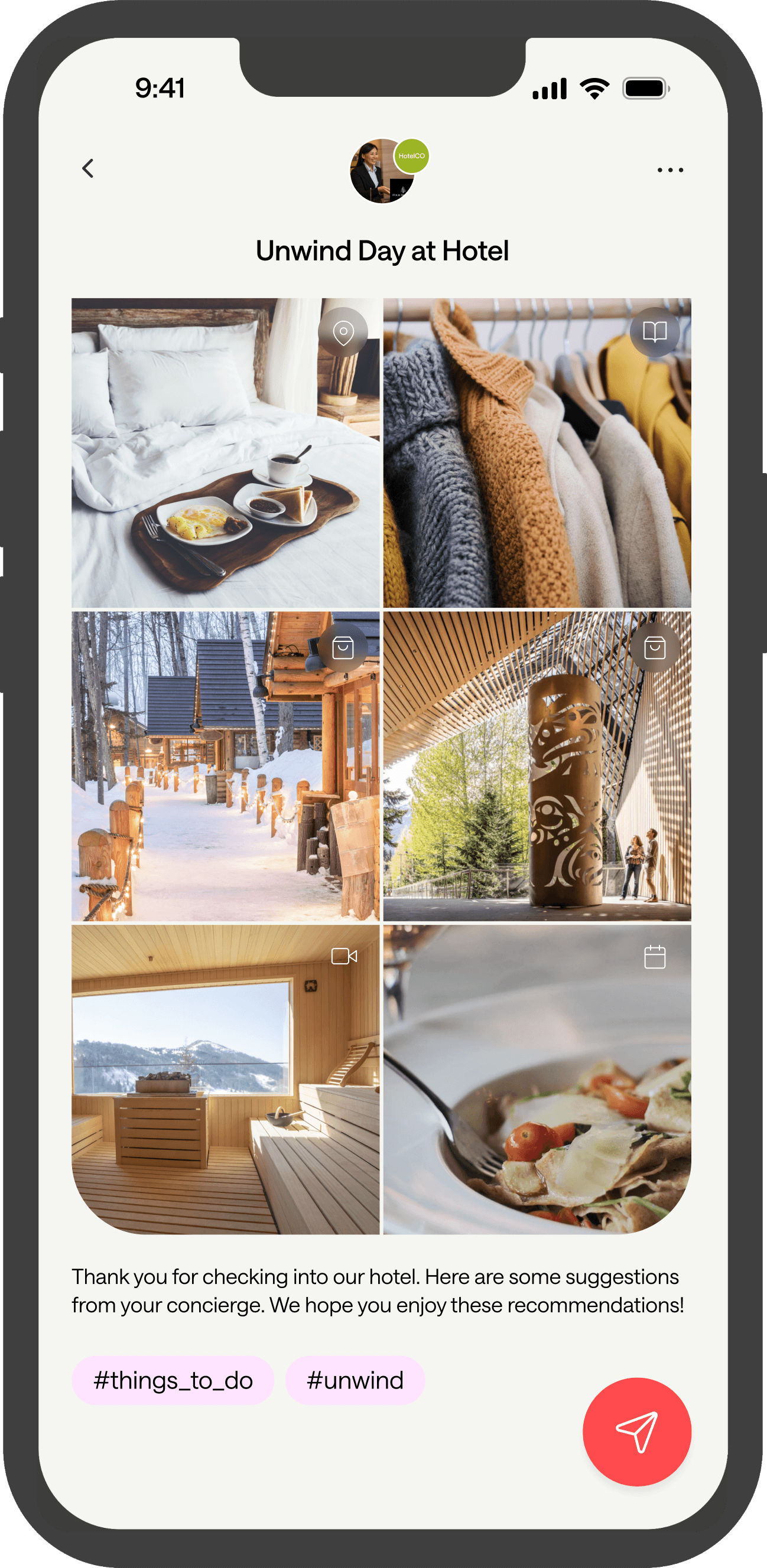
At the heart of SIX are Sixes. Sixes are a curated collection of six related recommendations, displayed in a visual, mobile-based page. Sixes are made up of individual Picks, which can be products, services, experiences, education, or places for example. Picks can include links, maps, and comments from the employee. Corporate and/or employees create Sixes, and employees share Sixes with customers.
01
Curate
At the heart of SIX are Sixes. Sixes are a curated collection of six related recommendations, displayed in a visual, mobile-based page. Sixes are made up of individual Picks, which can be products, services, experiences, education, or places for example. Picks can include links, maps, and comments from the employee. Corporate and/or employees create Sixes, and employees share Sixes with customers.
02
Collect
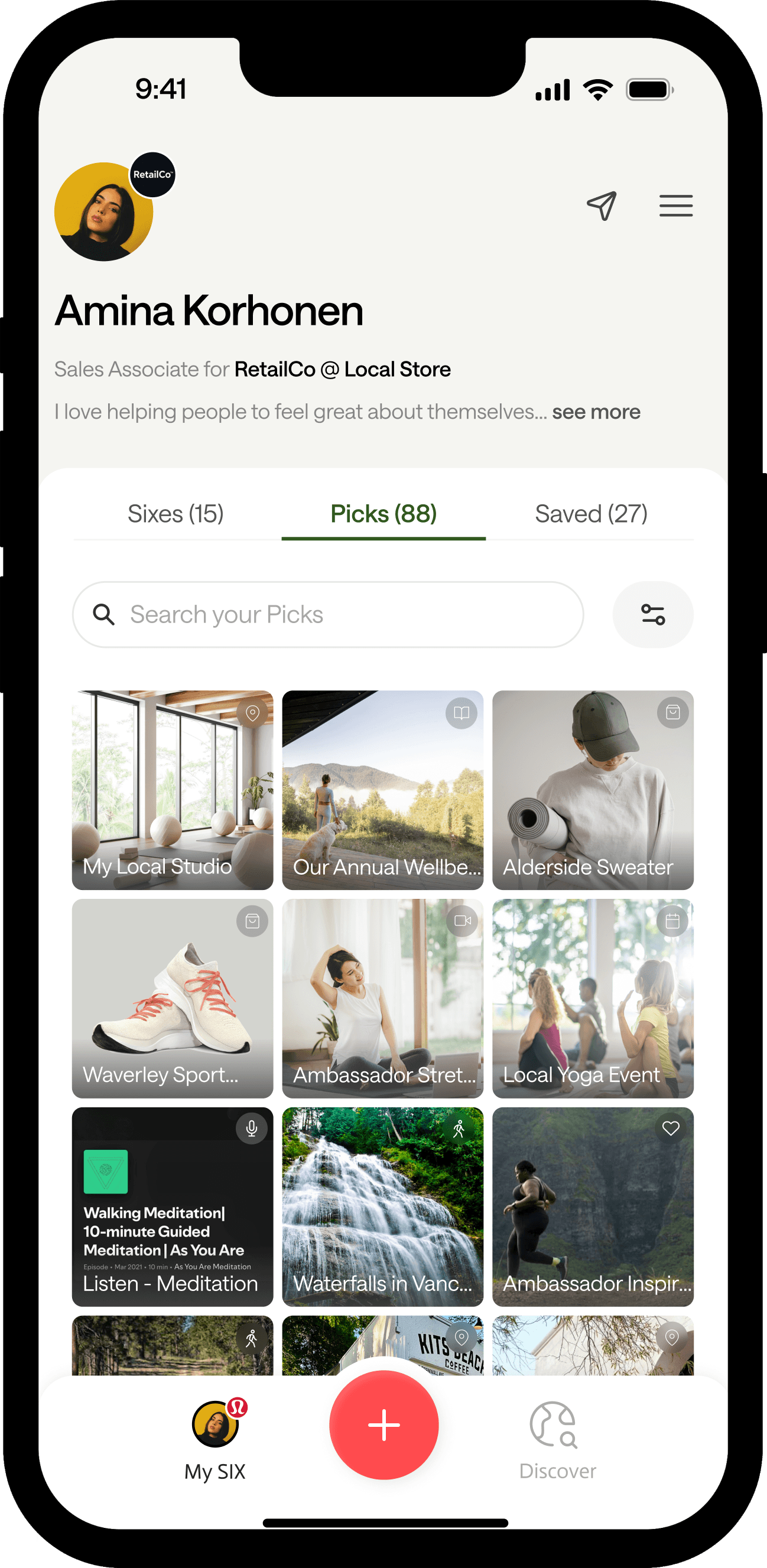
Sixes are made up of Picks. Picks can be anything that brands and their employees would like to share with customers. Picks go beyond just your products and services: Picks can also be experiences, stories, education, places, calls to action - anything that builds a personal value-add engagement between your brand and your customer, through your people.
02
Collect
Sixes are made up of Picks. Picks can be anything that brands and their employees would like to share with customers. Picks go beyond just your products and services: Picks can also be experiences, stories, education, places, calls to action - anything that builds a personal value-add engagement between your brand and your customer, through your people.
03
Engage
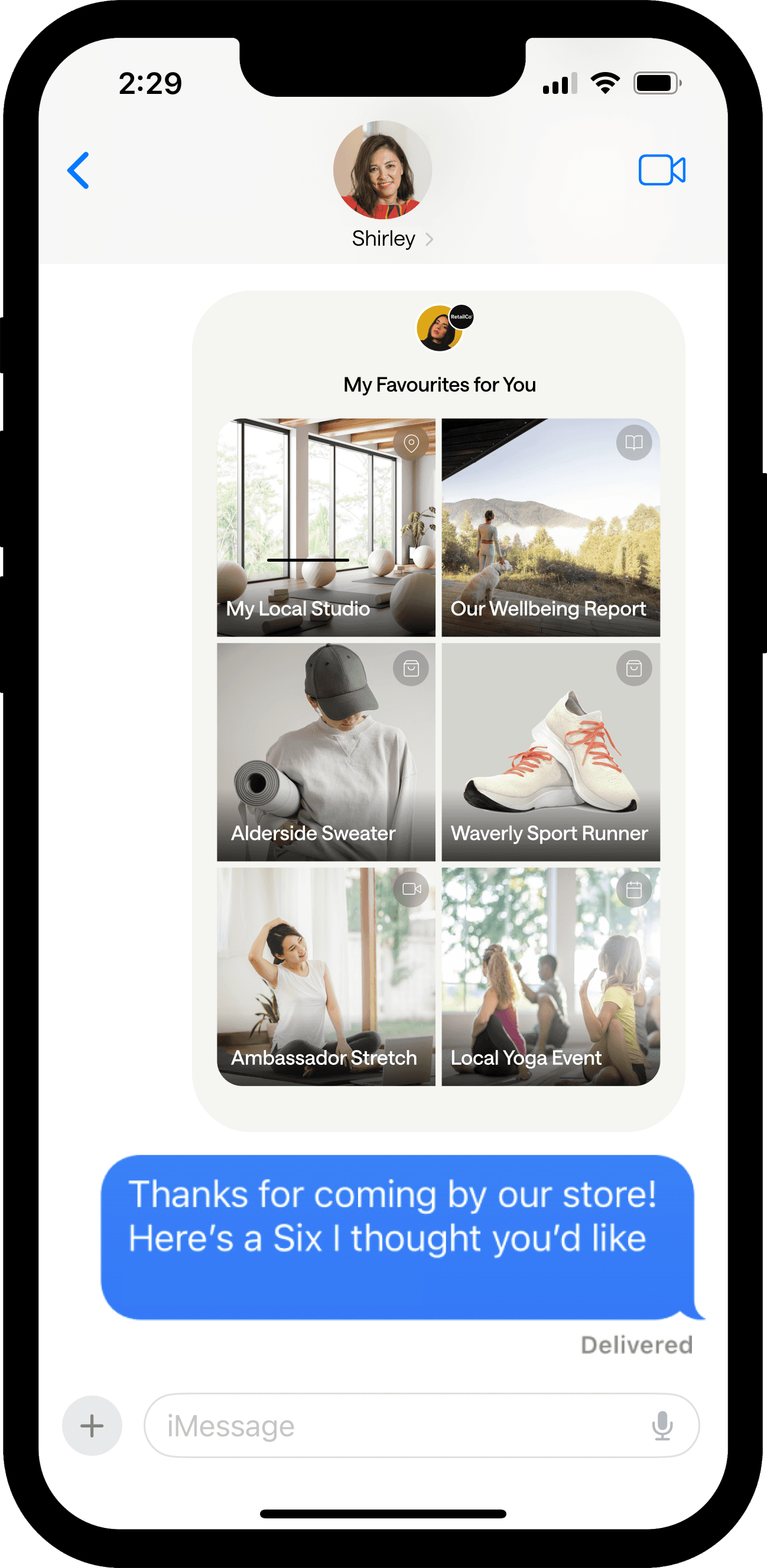
Employees share Sixes as part of the customer experience journey, via any communication channel (QR code/Airdrop in-person, text, WhatsApp, email, chat panel, etc). Customers view and interact with Sixes and Picks without needing to download anything.
03
Engage
Employees share Sixes as part of the customer experience journey, via any communication channel (QR code/Airdrop in-person, text, WhatsApp, email, chat panel, etc). Customers view and interact with Sixes and Picks without needing to download anything.
About SIX
SIX equips your customer-facing employees to make personalized recommendations
01
Curate
At the heart of SIX are Sixes. Sixes are a curated collection of six related recommendations, displayed in a visual, mobile - based page. Sixes are made up of individual Picks, which can be products, services, experiences, education, or places for example. Picks can include links, maps, and comments from the employee. Corporate and/or employees create Sixes, and employees share Sixes with customers.
01
Curate
At the heart of SIX are Sixes. Sixes are a curated collection of six related recommendations, displayed in a visual, mobile - based page. Sixes are made up of individual Picks, which can be products, services, experiences, education, or places for example. Picks can include links, maps, and comments from the employee. Corporate and/or employees create Sixes, and employees share Sixes with customers.
02
Collect
Sixes are made up of Picks. Picks can be anything that builds a personalized engagement between your brand and your customer, through your employees. Picks go beyond just your product and services; They can also be experiences, stories, education, places, or calls to action for example. Corporate and/or employees create Picks and Sixes, and can use AI-assisted creation.
02
Collect
Sixes are made up of Picks. Picks can be anything that builds a personalized engagement between your brand and your customer, through your employees. Picks go beyond just your product and services; They can also be experiences, stories, education, places, or calls to action for example. Corporate and/or employees create Picks and Sixes, and can use AI-assisted creation.
02
Collect
Sixes are made up of Picks. Picks can be anything that builds a personalized engagement between your brand and your customer, through your employees. Picks go beyond just your product and services; They can also be experiences, stories, education, places, or calls to action for example. Corporate and/or employees create Picks and Sixes, and can use AI-assisted creation.
03
Engage
Employees share Sixes as part of the CX journey; For example, they can share Sixes after an in-store purchase, in-between visits, or to connect with new customers. Employees share Sixes via text, WhatsApp, email, chat panel, or in-person with QR code or Airdrop. Customers view Sixes without needing to download anything. They can also easily share those Sixes with their Friends and Family or create their own - digitizing the referral channel.

03
Engage
Employees share Sixes as part of the CX journey; For example, they can share Sixes after an in-store purchase, in-between visits, or to connect with new customers. Employees share Sixes via text, WhatsApp, email, chat panel, or in-person with QR code or Airdrop. Customers view Sixes without needing to download anything. They can also easily share those Sixes with their Friends and Family or create their own - digitizing the referral channel.
03
Engage
Employees share Sixes as part of the CX journey; For example, they can share Sixes after an in-store purchase, in-between visits, or to connect with new customers. Employees share Sixes via text, WhatsApp, email, chat panel, or in-person with QR code or Airdrop. Customers view Sixes without needing to download anything. They can also easily share those Sixes with their Friends and Family or create their own - digitizing the referral channel.
Enterprise Capabilities
04
Organize
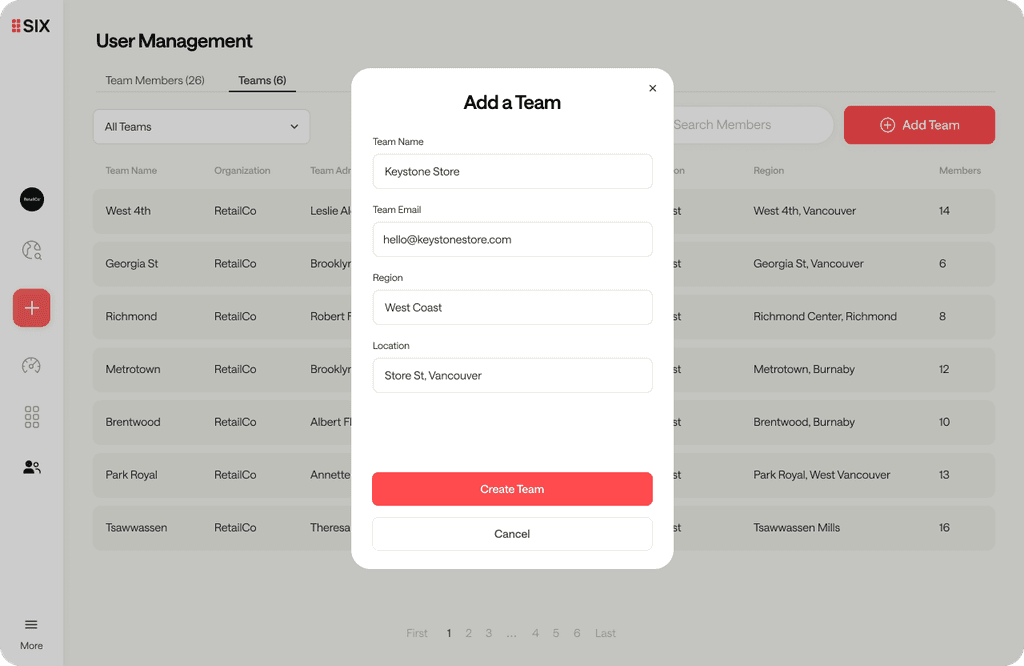
SIX delivers a ‘corporate-enabled’ yet ‘employee-personalized’ customer experience. Corporate owners can centrally manage organization structure and employee set-up, as well as create libraries of Picks/Sixes for frontline staff. Employees can add their own commentary to personalize them or they can use their expertise and creativity to generate their own recommendations, with central visibility.
04
Organize
SIX delivers a ‘corporate-enabled’ yet ‘employee-personalized’ customer experience. Corporate owners can centrally manage organization structure and employee set-up, as well as create libraries of Picks/Sixes for frontline staff. Employees can add their own commentary to personalize them or they can use their expertise and creativity to generate their own recommendations, with central visibility.
04
Organize
SIX delivers a ‘corporate-enabled’ yet ‘employee-personalized’ customer experience. Corporate owners can centrally manage organization structure and employee set-up, as well as create libraries of Picks/Sixes for frontline staff. Employees can add their own commentary to personalize them or they can use their expertise and creativity to generate their own recommendations, with central visibility.
04
Organize
SIX delivers a ‘corporate-enabled’ yet ‘employee-personalized’ customer experience. Corporate owners can centrally manage organization structure and employee set-up, as well as create libraries of Picks/Sixes for frontline staff. Employees can add their own commentary to personalize them or they can use their expertise and creativity to generate their own recommendations, with central visibility.
05
Connect
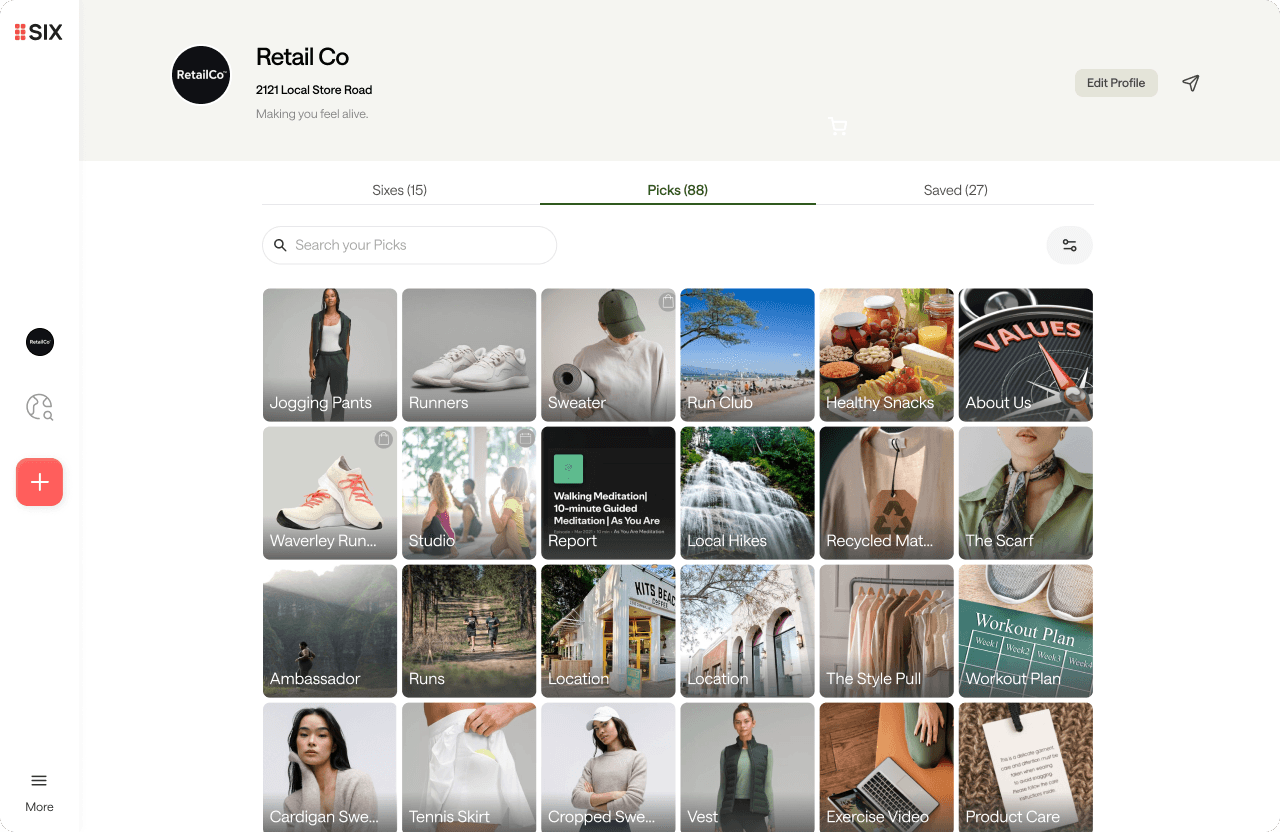
SIX can be launched and deliver value quickly without integrations or any customer data; Customers can get started with a small library of Sixes in a defined CX journey. Products pick creation can be automated via export/import or through API integration. And SIX can be integrated into existing technology and customer workflow, including: commerce, CRM customer data, and messaging. The SIX team has a long-history of delivering integrated solutions for enterprise customers with hundreds of users.
05
Connect
SIX can be launched and deliver value quickly without integrations or any customer data; Customers can get started with a small library of Sixes in a defined CX journey. Products pick creation can be automated via export/import or through API integration. And SIX can be integrated into existing technology and customer workflow, including: commerce, CRM customer data, and messaging. The SIX team has a long-history of delivering integrated solutions for enterprise customers with hundreds of users.
05
Connect
SIX can be launched and deliver value quickly without integrations or any customer data; Customers can get started with a small library of Sixes in a defined CX journey. Products pick creation can be automated via export/import or through API integration. And SIX can be integrated into existing technology and customer workflow, including: commerce, CRM customer data, and messaging. The SIX team has a long-history of delivering integrated solutions for enterprise customers with hundreds of users.
05
Connect
SIX can be launched and deliver value quickly without integrations or any customer data; Customers can get started with a small library of Sixes in a defined CX journey. Products pick creation can be automated via export/import or through API integration. And SIX can be integrated into existing technology and customer workflow, including: commerce, CRM customer data, and messaging. The SIX team has a long-history of delivering integrated solutions for enterprise customers with hundreds of users.
06
AI
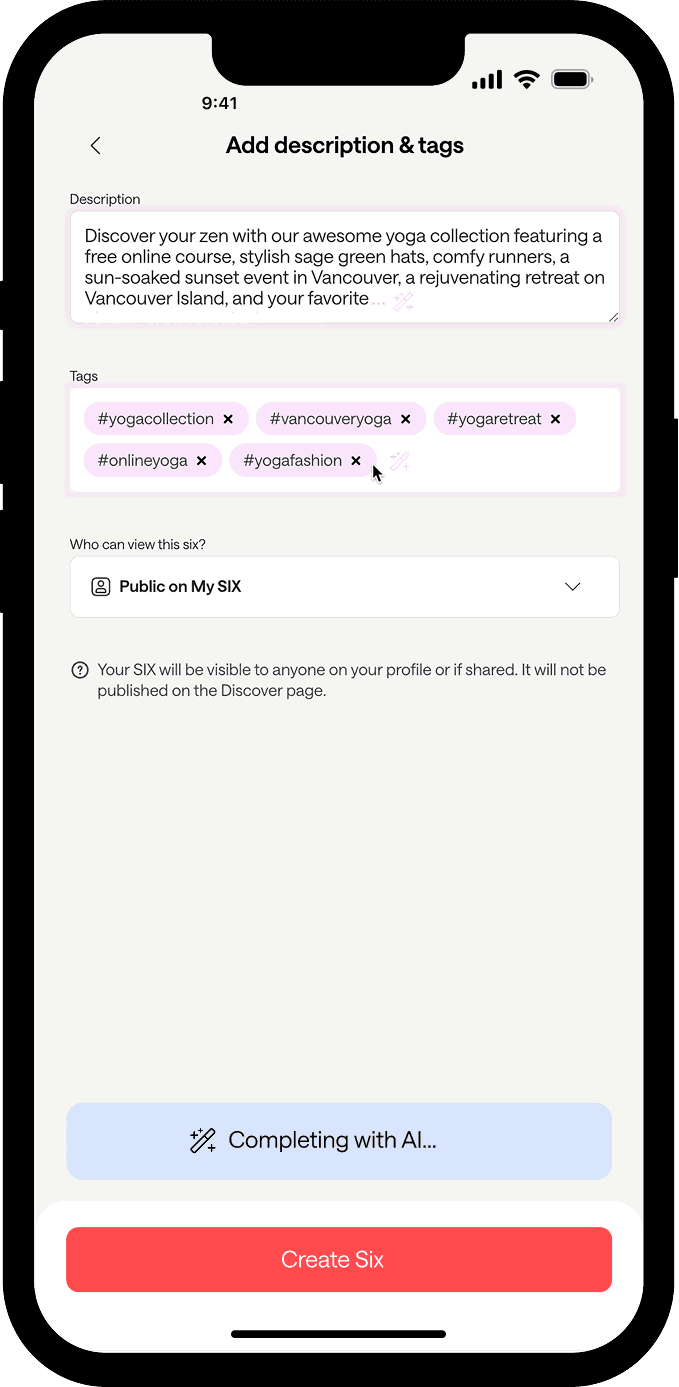
Human + AI-assisted personalization. Trusted recommendations from real people. We think of AI in 5 key pillars: 1. Onboarding 2. Employee Productivity 3. Creativity 4. Conversational AI 5. Preferences “Personalization will be the most exciting and most profitable outcome of the emerging AI boom.” - HBR Personalization Done Right
06
AI
Human + AI-assisted personalization. Trusted recommendations from real people. We think of AI in 5 key pillars: 1. Onboarding 2. Employee Productivity 3. Creativity 4. Conversational AI 5. Preferences “Personalization will be the most exciting and most profitable outcome of the emerging AI boom.” - HBR Personalization Done Right
06
AI
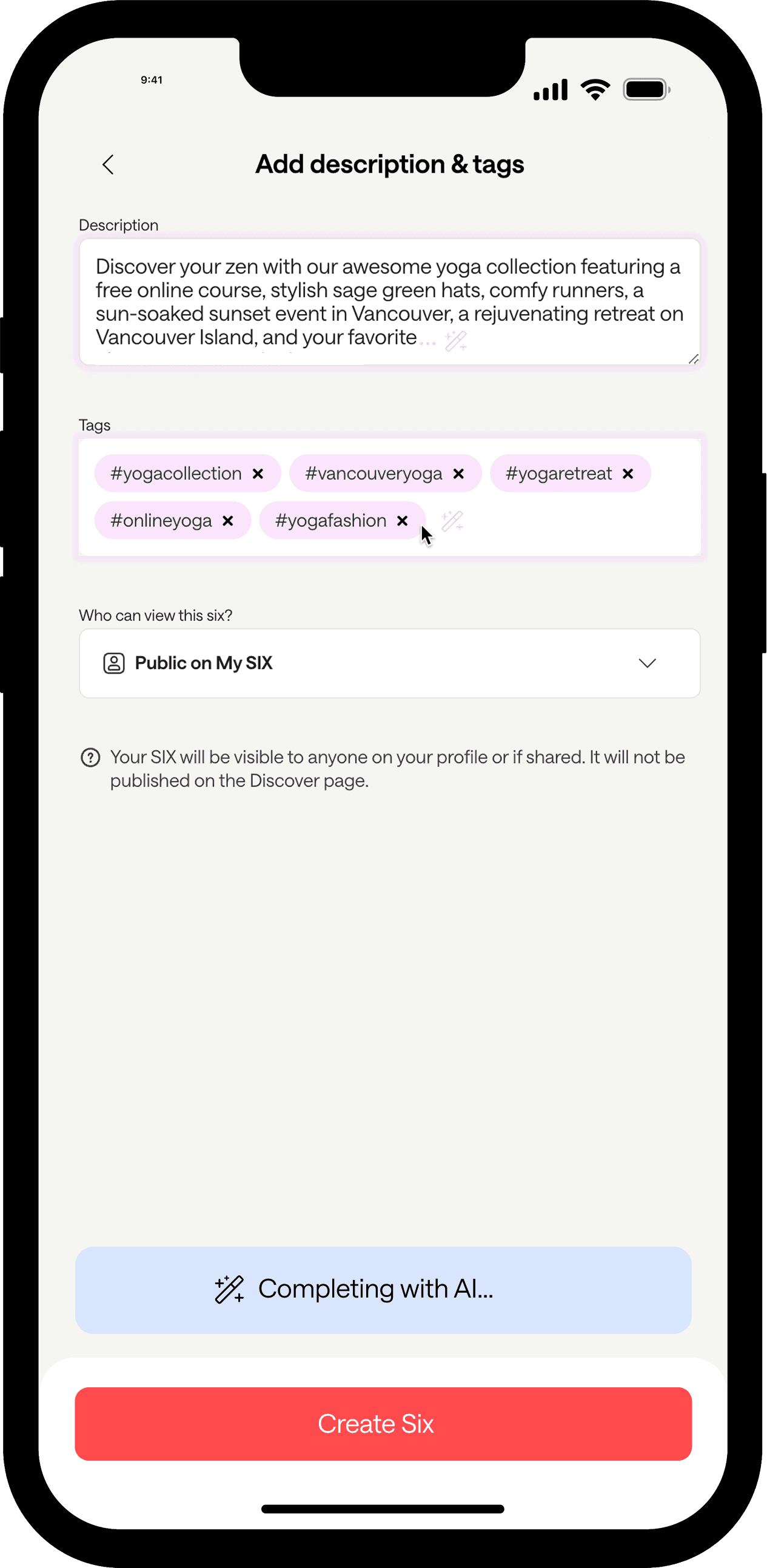
Human + AI-assisted personalization. Trusted recommendations from real people. We think of AI in 5 key pillars: 1. Onboarding 2. Employee Productivity 3. Creativity 4. Conversational AI 5. Preferences “Personalization will be the most exciting and most profitable outcome of the emerging AI boom.” - HBR Personalization Done Right
06
AI
Human + AI-assisted personalization. Trusted recommendations from real people. We think of AI in 5 key pillars: 1. Onboarding 2. Employee Productivity 3. Creativity 4. Conversational AI 5. Preferences “Personalization will be the most exciting and most profitable outcome of the emerging AI boom.” - HBR Personalization Done Right
06
AI
Human + AI-assisted personalization. Trusted recommendations from real people. We think of AI in 5 key pillars: 1. Onboarding 2. Employee Productivity 3. Creativity 4. Conversational AI 5. Preferences “Personalization will be the most exciting and most profitable outcome of the emerging AI boom.” - HBR Personalization Done Right
Example Sixes
SIX serves industries with customer-facing employees,
such as retail, hospitality, non-profits, and services
SIX serves industries with customer-facing employees, like retail, hospitality, non-profits, and services
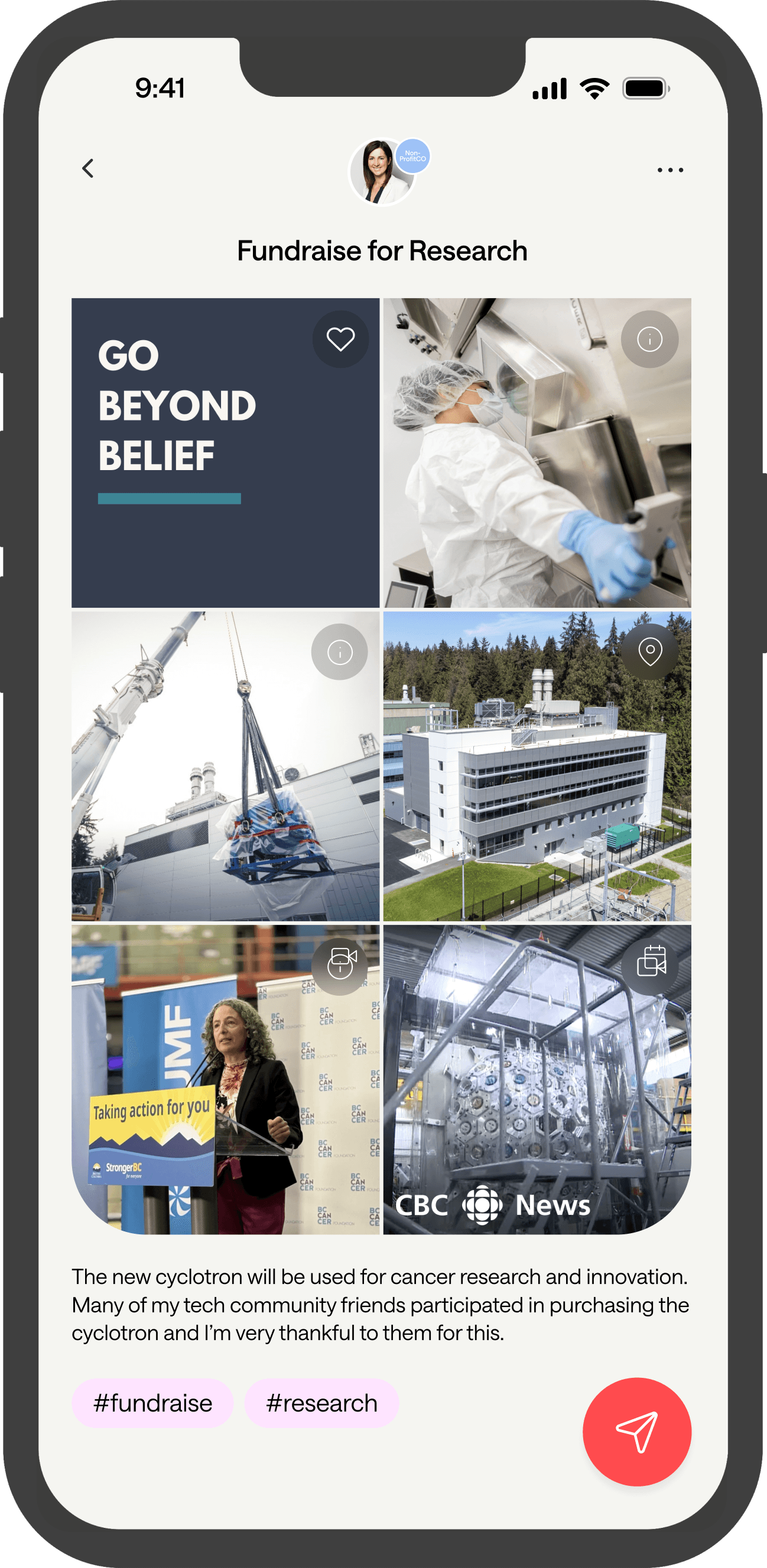
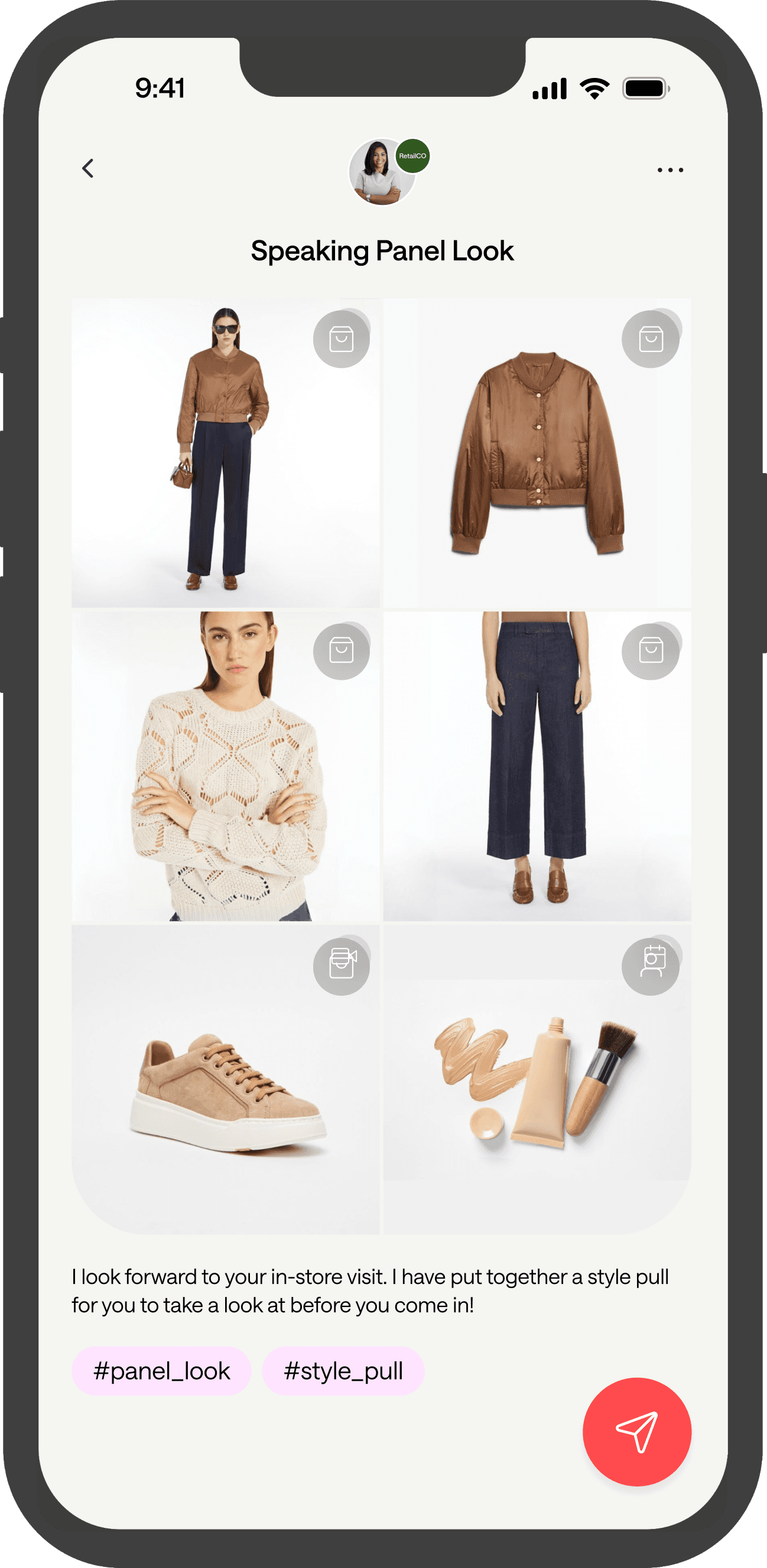
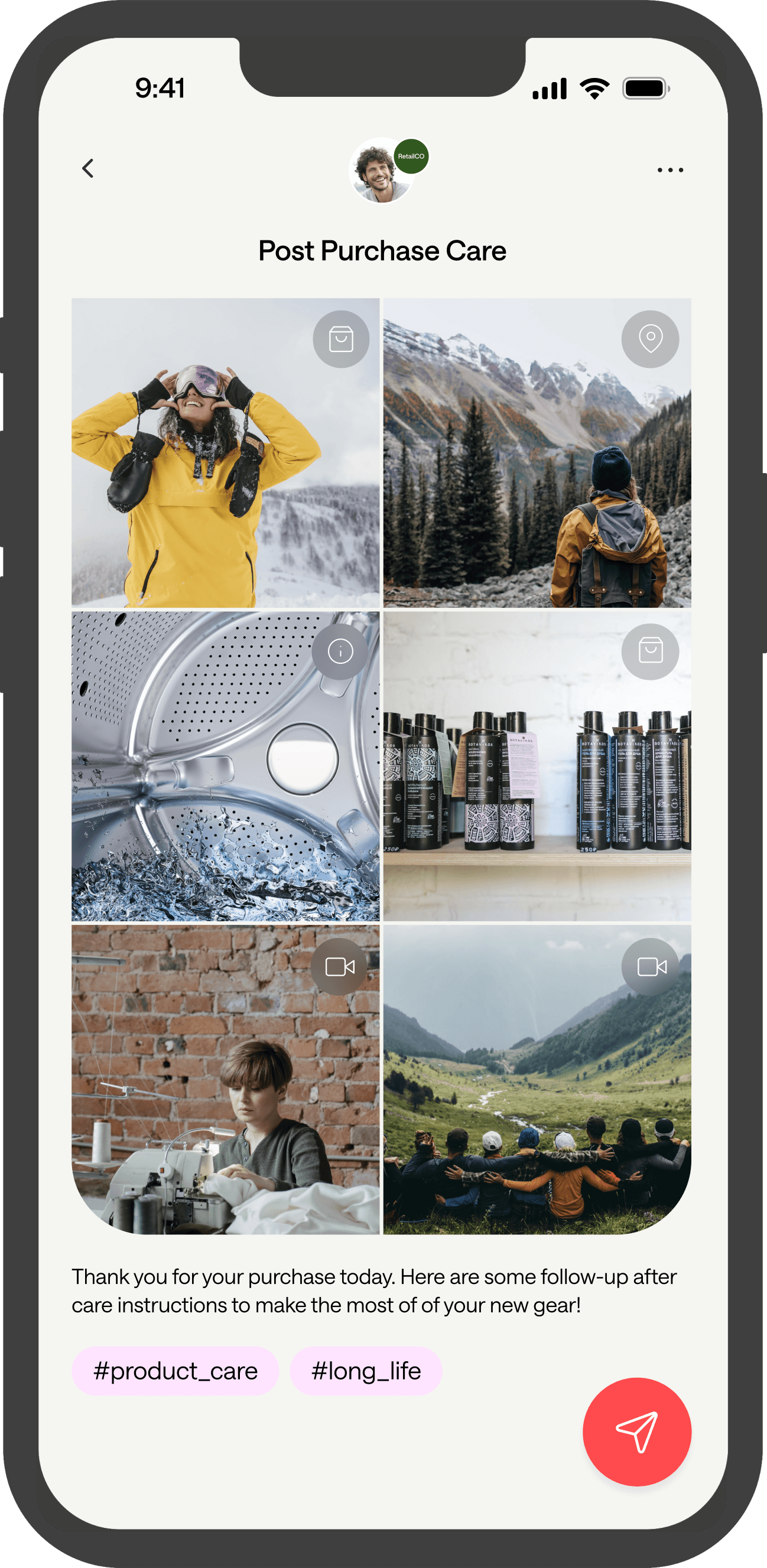

SIX drives business impact
Increase
Customer Revenue
By enabling employees to make personalized recommendations
"Companies that excel at personalization increase revenues by 40% compared to companies that don’t.”
Improve
Customer Acquisition
By digitizing the friends & family,
word-of-mouth channel
"48% of people talk to friends and family when they’re discovering new products (compare this to 31% who use social media)."

Drive
Efficient Growth
By leveraging your teams’ expertise
to increase conversions
“Acquisition costs have risen an average of 60% over the past 5 years. Companies need to do less paid marketing & more engagement.”
Customers

Vestis Fashion Group
Equipping Sales Associates

BC Cancer Foundation
Equipping Cabinet Members

Equinox Gold
Equipping Executive Team
Improve your engagement with
Improve your
engagement with
Articles
Events
Products
Videos

Education

Promotions
Resources

Places
Articles
Recommendations
Ambassadors

Services

Collaborations

Collections
Community
Products
Experiences
Calls to Action

Stories

After-care
Enable your team to scale personalized CX
Enable your
team to scale personalized CX
SIX equips your customer-facing employees to make personalized recommendations and drive growth
SIX equips your customer-facing employees to make personalized recommendations and
drive growth